Free AI avatar generator
Create realistic AI avatars for UGC ads, product marketing, training, and personalised videos within minutes.


 +
+








Why HeyGen is the leading AI avatar generator
Powered by advanced facial animation and voice-sync technology, HeyGen offers one of the most sophisticated AI avatar generators available today. Our lifelike avatars mirror expressions, gestures, and speech in real time, making them ideal for engaging audiences across social media, training, marketing, and customer support.
Create your own custom AI avatars
Create custom AI avatars that are uniquely tailored to your brand, from lifelike Avatar IV models to photo avatars generated from a single image, or video avatars built from your own recording. Each custom avatar can be styled with different looks, outfits, and backgrounds, giving you a consistent and scalable way to represent your creative requirements.
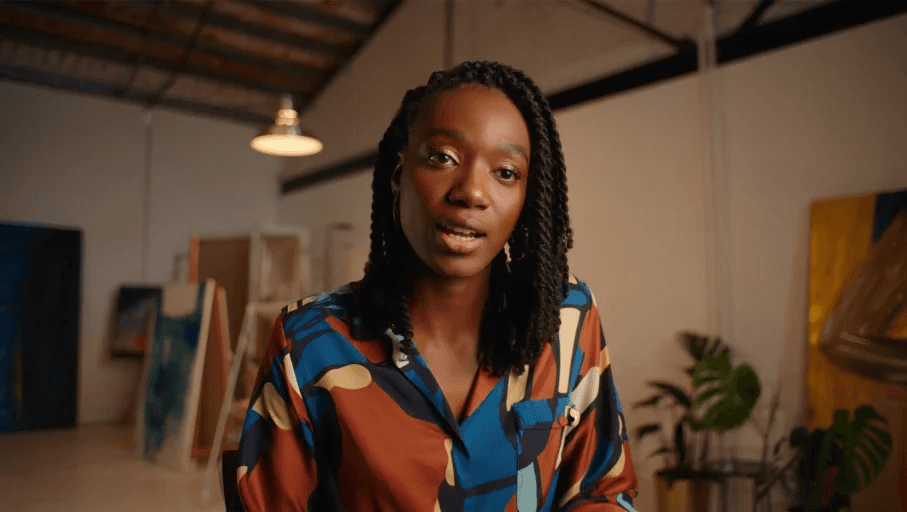
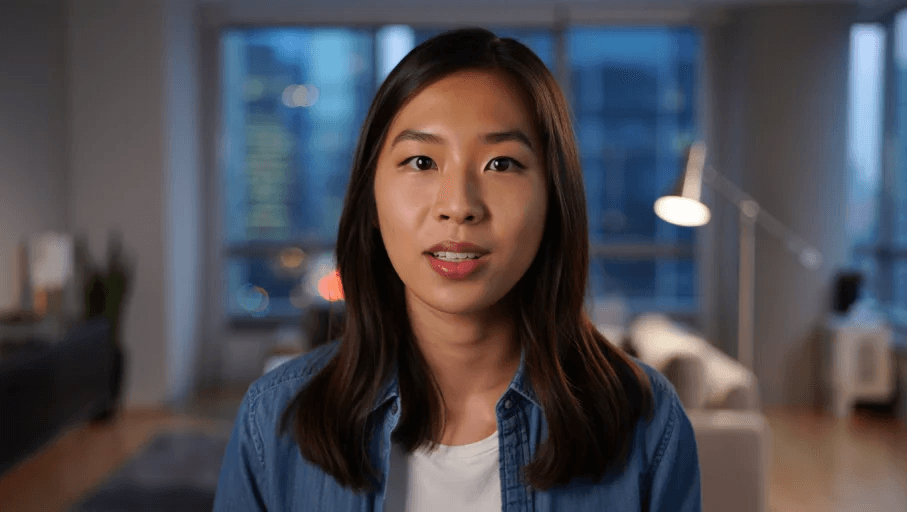
Choose from 1,000+ready-to-use AI avatar models
Choose from professional presenters, influencer-style avatars, and multicultural models. Ideal for meetings, tutorials, advertisements, and customer support in any language.
How to create an AI avatardigital twin
Turn yourself into a fully animated AI avatar with HeyGen’s digital twin technology. Capture your likeness once and use it to generate videos on demand, so you never have to get in front of a camera again.


Why HeyGen is the best AI avatar generator
HeyGen brings together speed, quality, and flexibility in a single, all-in-one platform. Generate avatars from text prompts, turn photos into avatars, or choose from our stock library. With powerful editing tools, HeyGen offers one of the best AI avatar video generators for creators, brands, and educators.
Create videos in just a few minutes, delivering high-quality results much faster than traditional video production.
Effortless video creation with an intuitive interface that anyone can use, without needing any editing or technical skills.
Make video creation as simple as writing a document with a text-based editor, right from the first draft to the final video.
Bring your AI avatar to life with voice and sound
Choose from over 100 realistic AI voices across more than 175 languages and accents. Clone your own voice, design unique tones, or integrate HeyGen avatars with third-party text-to-speech providers. Whether it is for professional narration or casual influencer content, HeyGen ensures your avatar sounds as real as it looks.

How to Create Your Own AI Avatar
Create your AI avatar once and generate videos at any time with HeyGen’s digital twin technology.


Trusted by over 1,00,000 teams that prioritise quality, ease, and speed
See how businesses like yours scale content creation and drive growth with the most innovative AI video platform available today.
AI Avatar Generator – Frequently Asked Questions
What is an AI avatar?
An AI avatar is a highly realistic digital representation of a human created using artificial intelligence. These avatars are capable of delivering human-like speech, facial expressions, and gestures, making them ideal for scalable video creation, virtual communication, and digital content. At HeyGen, our AI avatars are built with consented data from real actors and talent. We ensure ethical AI practices by compensating actors for each video generated with their likeness, combining cutting-edge generative AI with responsible content creation.
What is an AI avatar creator?
An AI avatar generator is a powerful tool that converts text into lifelike video content using digital avatars. With HeyGen, you can quickly create studio-quality videos without needing cameras, actors, or editing software.
Is there a free AI avatar maker?
Yes, HeyGen offers a free version for generating AI avatars, adding voice, and creating short videos. Premium plans unlock advanced features like HD and 4K rendering, customisation, and commercial use.
Can I create a custom avatar of myself or a colleague?
Absolutely. HeyGen makes it easy to create your own personalised AI avatar. Simply record a short calibration video using our guided process, and our AI will generate a lifelike digital version of you (or your team member) that speaks just like you. Create your digital twin now at HeyGen.
Which is the best AI avatar generator in 2025?
HeyGen is the best AI avatar generator because it is very easy to use and creates realistic talking avatars quickly. You can turn text, images, or audio into videos within minutes. It supports more than 40 languages, so it is ideal for marketing, training, or simply creating content that really stands out.
How can I create an AI avatar video with HeyGen?
Getting started with HeyGen is quick and simple: Sign up for a free HeyGen account, choose a stock avatar or create your own custom avatar, write your script—our AI avatars will voice it with perfect lip-sync, customise your video with visuals, and then export or publish your video.
Do HeyGen AI Avatars support several languages?
Yes, HeyGen avatars support more than 175 languages and dialects, making them ideal for global communication, training, and customer engagement.
How realistic are HeyGen's AI avatars?
HeyGen's AI avatars are designed to be highly realistic, with natural human-like expressions, gestures, and voice integration to create engaging, lifelike videos. Experience a new level of realism with HeyGen.
Can HeyGen avatars display emotions and gestures?
Yes. HeyGen avatars do more than just speak. They also use natural facial expressions and gestures that match the tone of your script. This makes communication more engaging and helps your videos feel more authentic and human.
What customisation options are available for HeyGen avatars?
HeyGen offers extensive customisation. With features like Look Packs, you can quickly switch between polished, playful, or quirky styles to suit your brand. You can also adjust outfits, tones, and voices so your avatar reflects exactly the personality you wish to project.
Does HeyGen provide ready-made or industry-specific avatars?
Yes. You can choose from over 100 ready-to-use stock avatars designed for business, education, marketing, and more. There are also industry-specific avatars tailored for healthcare, sales, and corporate training, giving you a professional option right away.
How does HeyGen save time compared with traditional video production?
With HeyGen, you can avoid cameras, studios, and complex editing. Simply type your script, choose an avatar, and generate your video within minutes. This helps teams scale video creation quickly and cost-effectively for ads, training, and content marketing.
Start creating videos with AI
See how businesses like yours scale content creation and drive growth with the most innovative AI video solution.